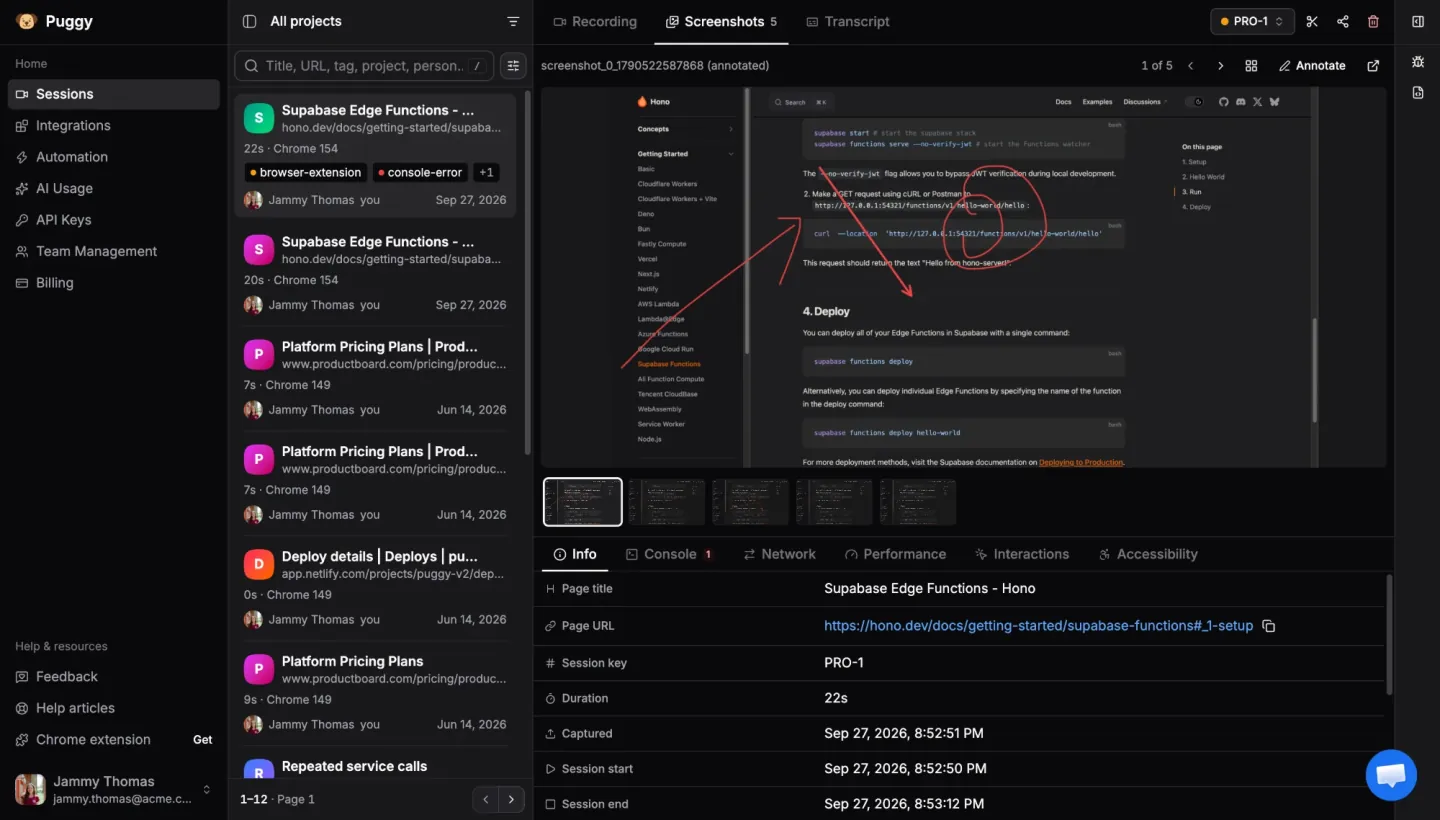
Network & console capture
Complete HAR waterfall plus every console error, correlated to the same run.
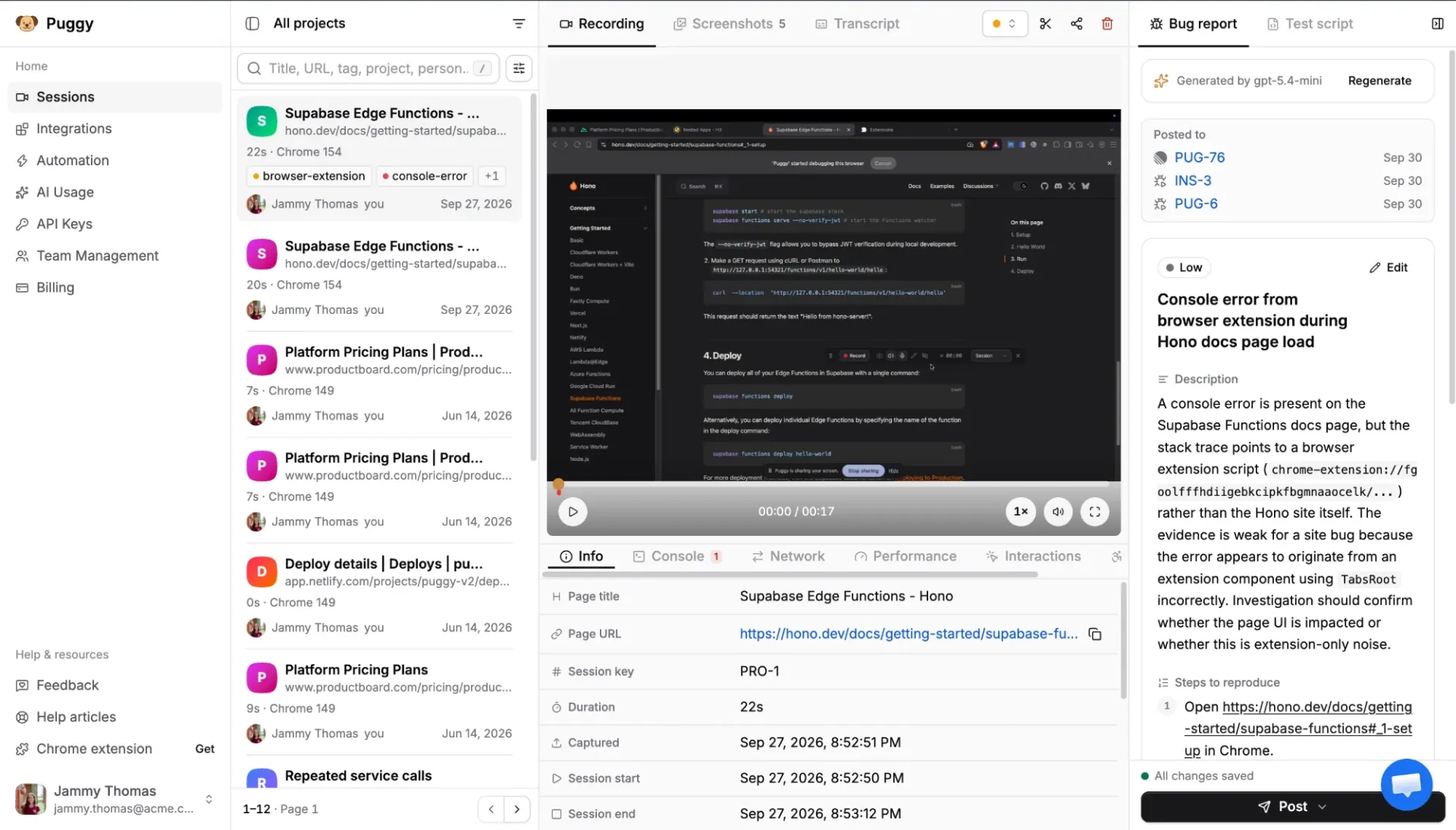
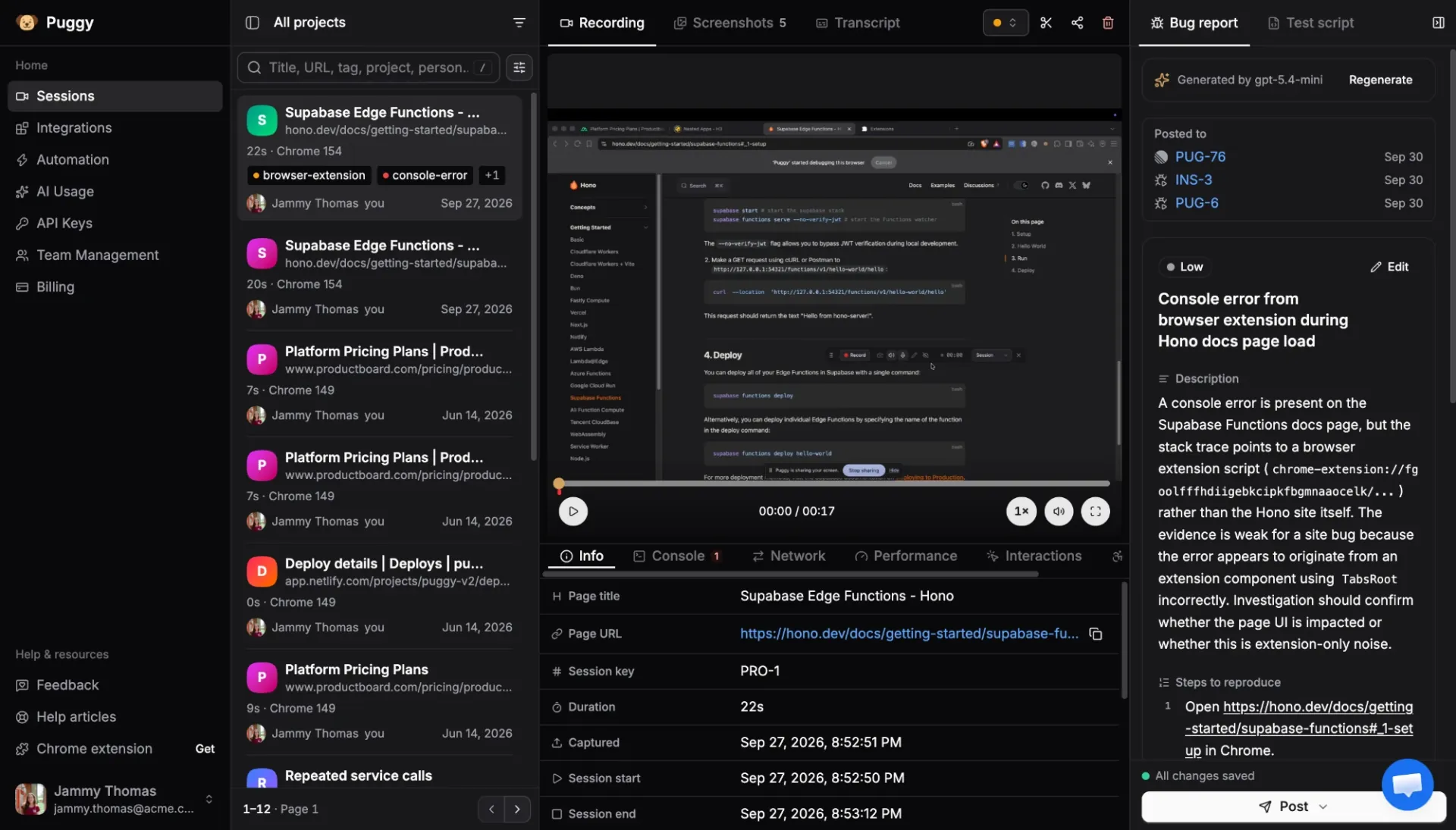
Puggy records the screen, network, console, clicks and more — then turns one session into a shareable report your team, your tracker, and your AI agent can actually fix from.
How it works
One repeatable path your whole team can follow every time a bug shows up.
Step 01 · Capture
Record or snapshot any tab. Puggy collects video, network, console, clicks, performance and accessibility automatically — no setup, no extra steps.
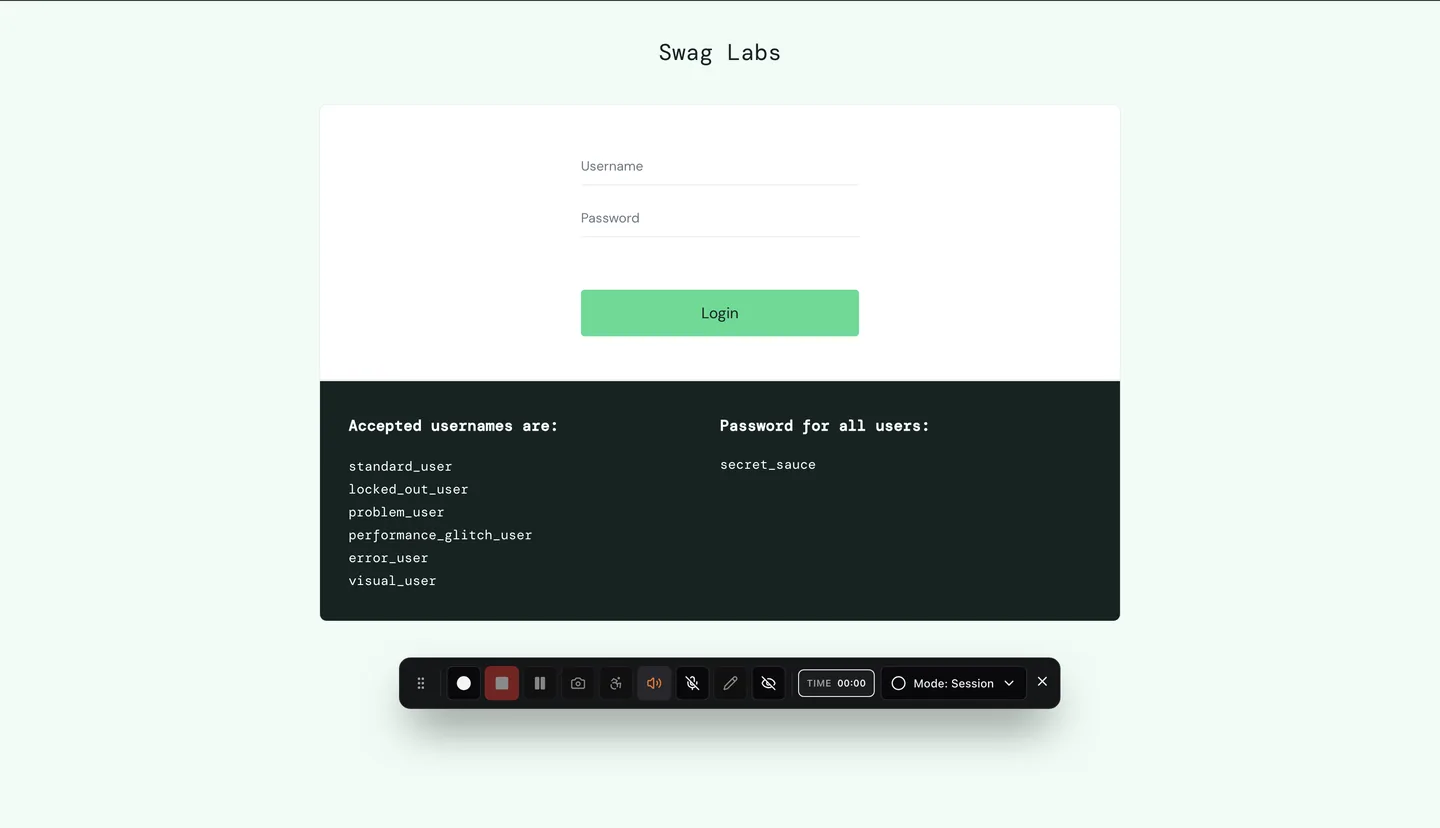
Step 02 · Review & enrich
Replay the session, annotate screenshots, and auto-generate a bug report plus a runnable Playwright repro — grounded in the real captured evidence.
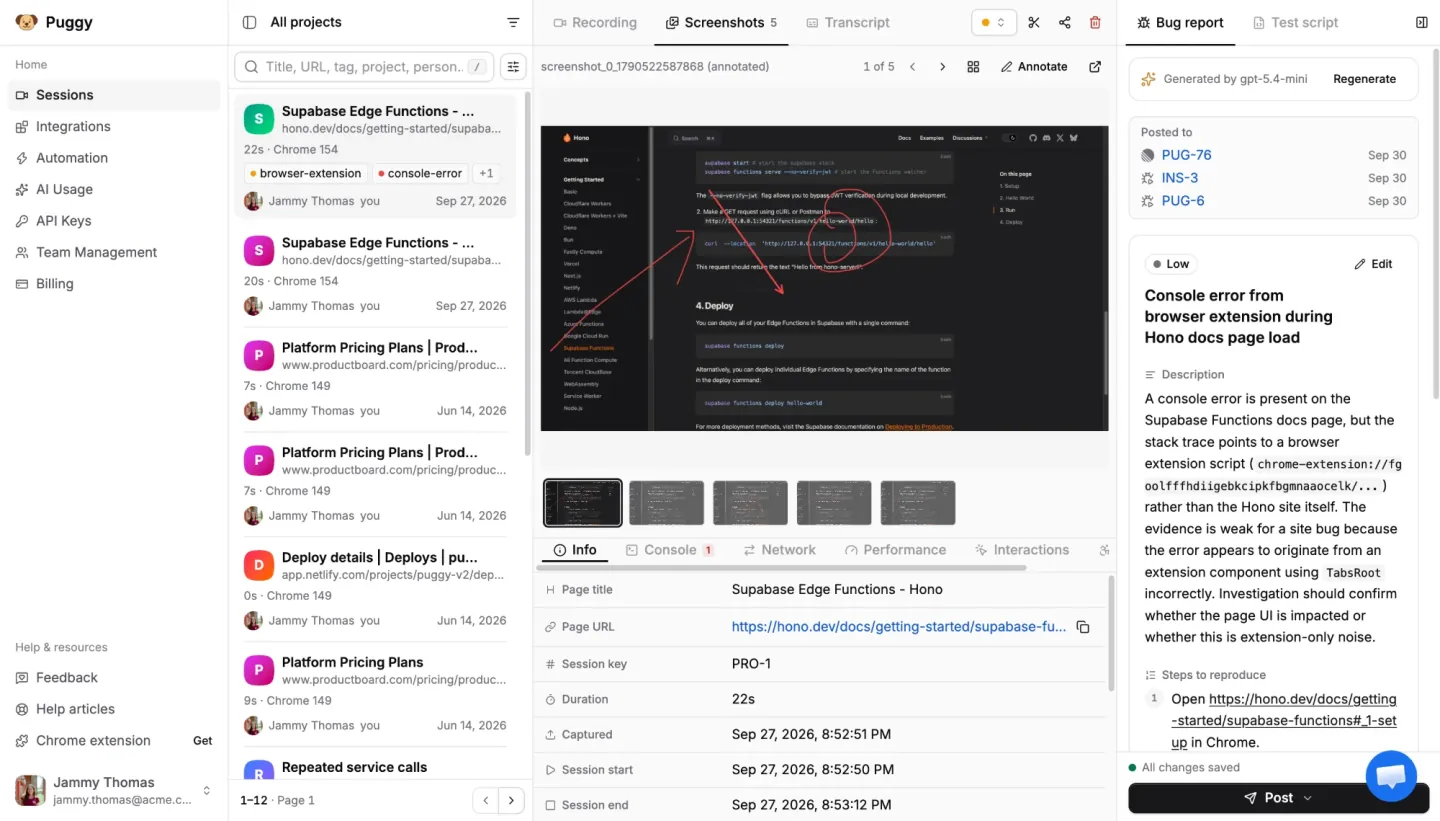
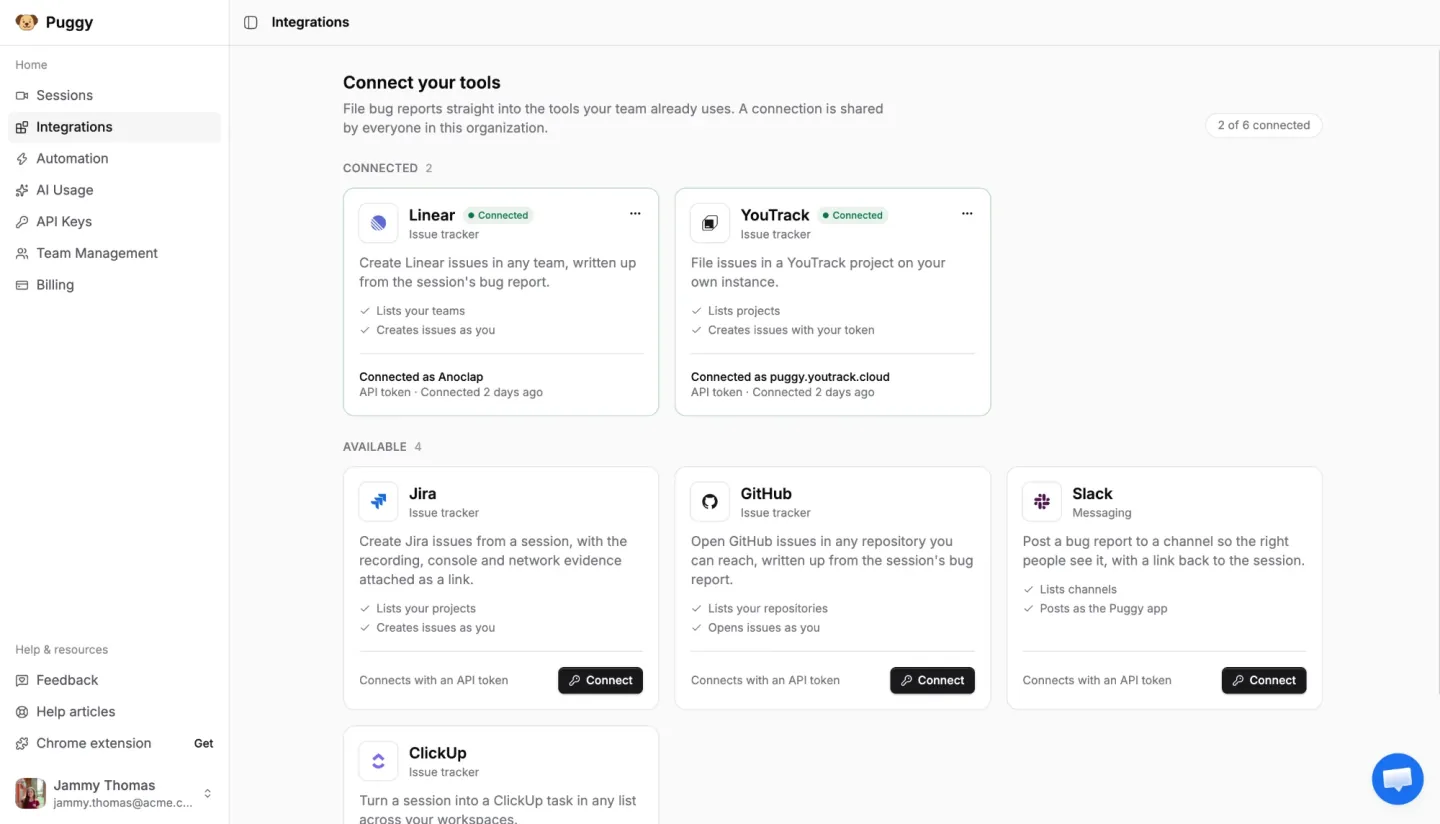
Step 03 · Share & fix
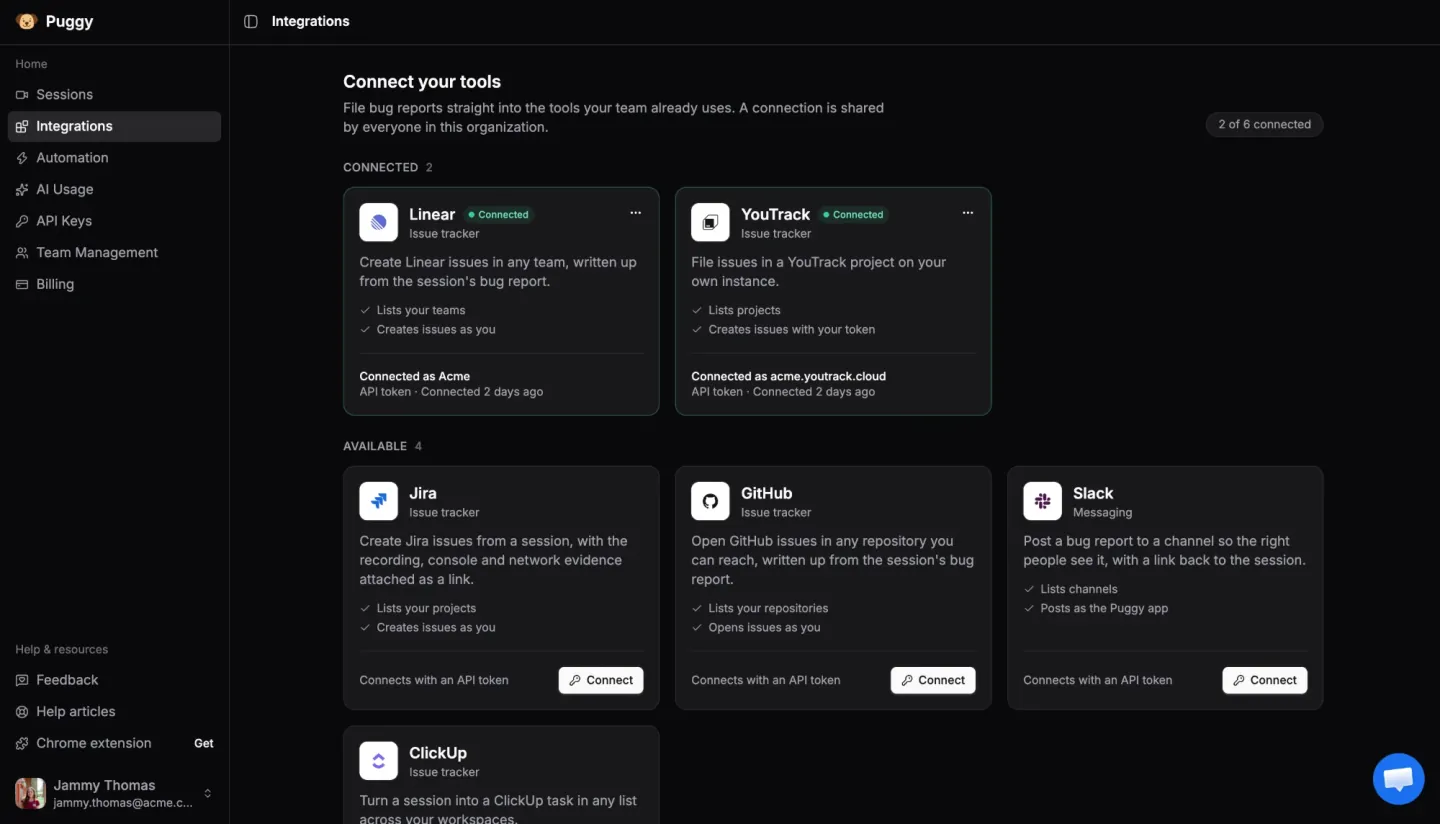
Push to Jira, Linear, GitHub, ClickUp, Slack or YouTrack, share a public link, or let an AI agent read the whole session directly over MCP and fix it from evidence.
Complete HAR waterfall plus every console error, correlated to the same run.
Full video of the exact session, with tab audio and microphone when you need them.
Auto-generated bug summary and a runnable Playwright test, built from the session.
Every click, input, scroll and navigation, captured and replayable step by step.
Performance metrics and accessibility findings captured alongside the evidence.
Coding agents read the session directly to debug from real evidence, not guesses.
Instant screenshot mode and draw-on-screen markup to point straight at the issue.
Send to Jira, Linear, GitHub, ClickUp, Slack or YouTrack, or share a public link.
MCP handoff
Connect any MCP-compatible coding agent to Puggy and it can inspect the recording, logs, network failures, generated repro, and ticket context directly.
MCP configuration
Add Puggy once and let your agent query real bug sessions on demand.
{
  "mcpServers": {
    "puggy": {
      "url": "https://mcp.puggy.dev/sse",
      "apiKey": "PUGGY_API_KEY"
    }
  }
}
Session access
Inspect the replay, user actions, and metadata tied to a real issue.
Diagnostics
Network responses, console traces, and browser context as structured data.
Bug report
Start from a compressed explanation grounded in the captured evidence.
Verification
The Playwright script ships with the handoff so the fix can be verified.
Integrations
Keep reporting where you work today. Puggy adds the evidence, repros, and AI-readable context on top.

Create issues with full context

File issues with the recording attached

Open tickets with the evidence bundle

Sync tasks without losing the repro

Alert channels with shareable links

Attach recordings and AI summaries
Expose the session to the agent that fixes it
Loved by QA teams
“As a QA Architect, one of the biggest challenges is ensuring developers receive enough context to reproduce issues quickly. Puggy addresses this by automatically recording the entire testing session, including user interactions, console logs, network traffic, screenshots, and video. It has streamlined our defect reporting process, reduced communication overhead, and helped developers identify root causes much faster. A great tool for teams looking to improve debugging efficiency and overall software quality.”
Pricing
We're learning how teams use Puggy before we decide what to charge. Until then, the whole platform is free to use.
$0
Get started
Install the free Chrome extension, record a session, and ship an agent-ready bug report — without changing how your team reports issues today.
Free to install. No credit card required.